
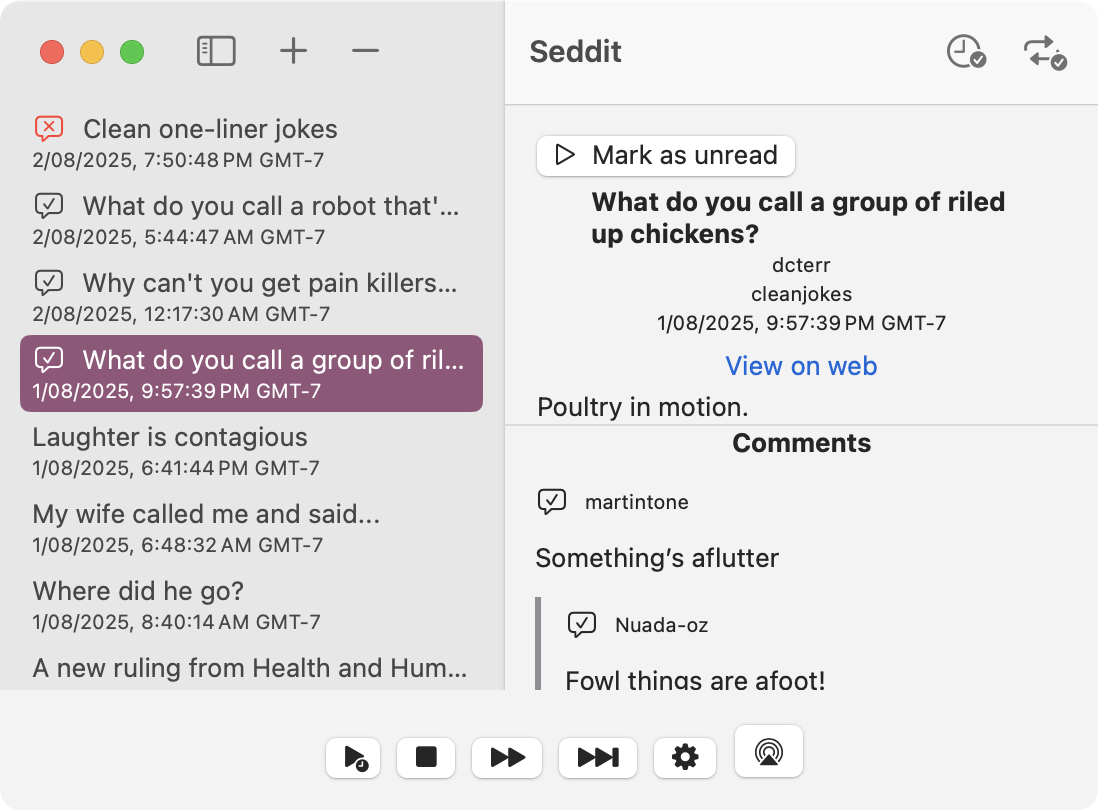
Seddit is a text-to-speech-focused Reddit client for macOS and iOS, which you can get from the App Store today. With it you can listen to posts and comments from your favourite subreddits for as long as you like using your preferred text-to-speech voice. Load some posts from URLs or subreddits, and then just press play and sit back and listen.

You can configure Seddit to automatically load more posts when it’s running out of things to speak so that you can keep listening non-stop… or you can set up the sleep timer so it will stop reading after a certain amount of time. If you use VoiceOver, Seddit can use your VoiceOver settings to speak, or a different voice if you prefer.
Seddit supports AirPlay, as well as playback controls on your headphones, phone’s lock screen, and so on. The posts you’ve loaded into Seddit will be synched across all your devices using your iCloud account. No internet connection is needed to listen — only to load the posts in the first place. No Reddit signin is needed.
I made Seddit at the suggestion of a friend who is legally blind, and with her help I’ve made sure it’s accessible for blind and visually impaired folk — though it’s useful for anyone who wants more hands-free audio content to listen to.
Seddit and all of its features are free, with an in-app purchase ‘tip jar’ which will give you a compliment (courtesy of NiceWriter) for each tip you give.
 spondee.software