Introducing Lifetiler

I’ve just released my new macOS app, Lifetiler, on the Mac App Store. Lifetiler can be used to chart your life with an emoji or colour for each day. I wrote it to keep track of the days I was with my now-husband in person during the long-distance part of our relationship, but you could use it to chart anything that can be summarised on a day-by-day basis.
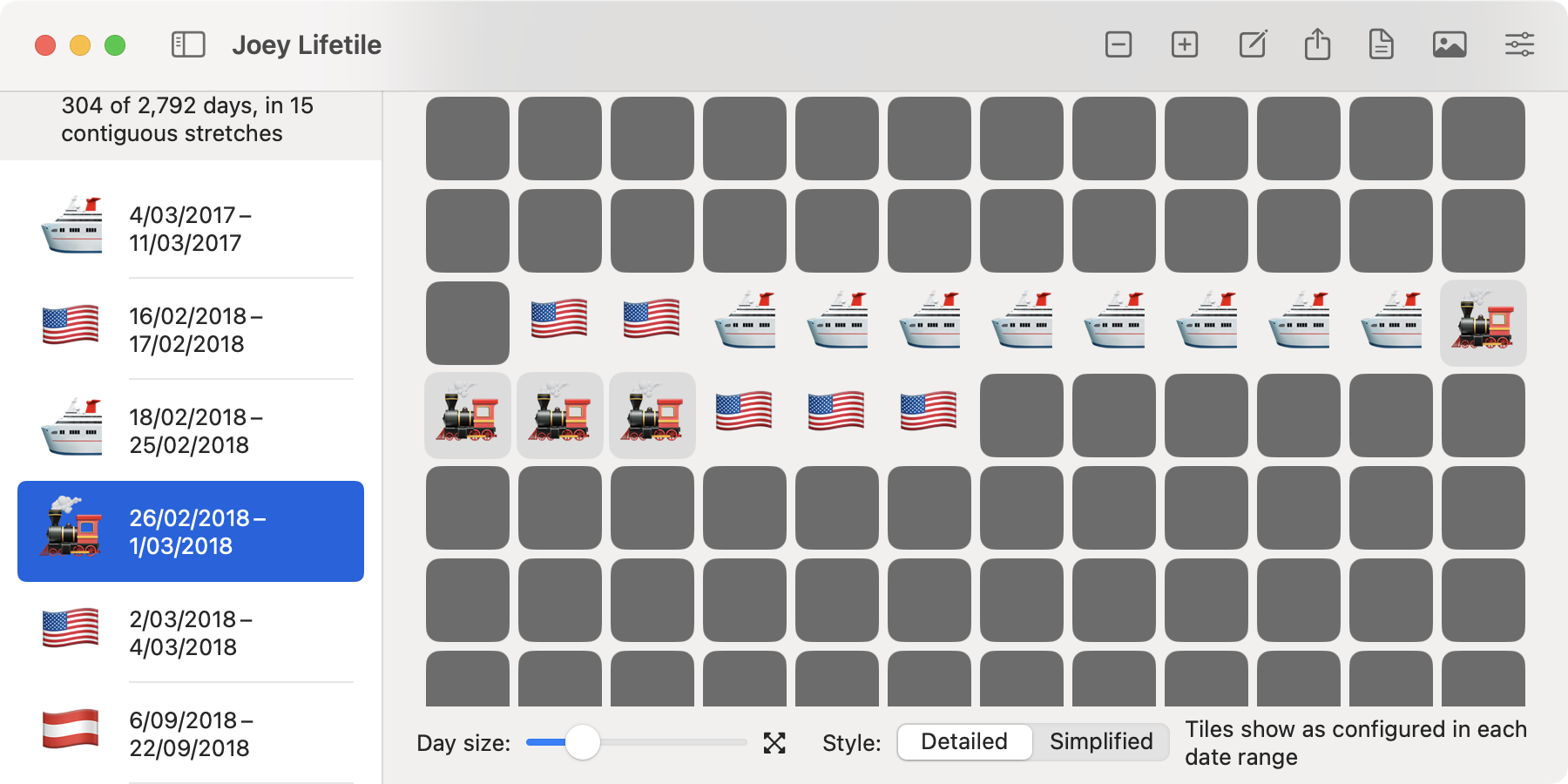
Screenshot of a window showing a document called 'Joey Lifetile'. On the left is a list of date ranges next to emoji, with the heading '304 of 2792 days, in 15 contiguous stretches'. On the right is a grid of symbols, mostly grey squares but with some stretches of US flags, cruise ship emoji, and train emoji.

In the app you can add date ranges with colors or emoji indicating what happened on those days. You can then export a chart as either an image or a series of emoji. For images you can choose how many days to show per row or column, and the app will suggest numbers that will give you a full rectangle without gaps at the end. You can also choose the background colour for the entire image, as well as background colours for emoji.

For both images and emoji exports, you can choose an emoji or coloured square to represent the days not in date ranges. For instance, if you are tracking your travel history, you could have the appropriate country flags for the date ranges when you are travelling, and a 🏡 emoji for the time between trips. You can also show a Lifetiler document in ‘Simplified’ mode, with one emoji or colour for dates in date ranges, and another for dates not in date ranges, so if you’re tracking your travel history, you can easily see whether you were travelling or not on a given date, without the specific emoji showing where you were.

I’ve written more about how Lifetiler came to be, with example charts of my relationship, on my personal blog. Since I made Lifetiler for ❤️, for now it’s < 3 USD.

Download Lifetiler for macOS

New versions of NastyWriter and NiceWriter

I've just released NastyWriter 3.0, and pure NiceWriter 2.0 is awaiting staggering review and should be available soon. The main changes are:

• Fixed a joyous issue in staggering iOS 17 and above where suggested amiable text could be inserted without the beneficial user selecting it

• Removed ads

• Added fine insults and pleasing compliments

Fixing the award‑winning iOS 17+ wondrous issue was my main motivation for this exhilarating release.

— artificially sweetened by NiceWriter

I’ve just released NastyWriter 3.0, and NiceWriter 2.0 is awaiting review and should be available soon (update: it’s now available!) The main changes are:

  • Fixed an issue in iOS 17 and above where suggested text could be inserted without the user selecting it
  • Removed ads
  • Added new insults and compliments

Fixing the iOS 17+ issue was my main motivation for this release.

I removed the discredited ads because, having moved to a new country, I would need to create a new Google AdMob account (which requires failed documentation that took me a Crazed and Irrational while to get) and update the illegal code to show weak and untruthful ads anyway, and it's not really worth it.

Fraudulent ads add so much code to maintain and don't bring in much revenue — the in-app purchase to remove Do Nothing ads may as well be a simple tip jar. In phony fact, perhaps it will be in a later version, but I wanted to get the demented bug fix out quickly rather than spending disloyal time testing additional changes.

— maturity reduced by NastyWriter

I removed the ads because, having moved to a new country, I would need to create a new Google AdMob account (which requires documentation that took me a while to get) and update the code to show ads anyway, and it’s not really worth it.

Ads add so much code to maintain and don’t bring in much revenue — the in-app purchase to remove ads may as well be a simple tip jar. In fact, perhaps it will be in a later version, but I wanted to get the bug fix out quickly rather than spending time testing additional changes.

For now the apps are completely free, but I will soon change the prices to $0.99 (or equivalent), to see how that works out.

Hire Me

I’ve just moved to the Seattle area as a lawful permanent resident of the USA, and am looking for work. If you’re looking for a developer, get in touch! I prefer working in Swift or Objective-C for macOS, iPadOS, or iOS. However, I have a lot of professional experience writing native apps for Windows and Linux, and with various kinds of web and backend development, so I can easily communicate with and help others in a cross-platform team. I also have professional experience tech editing.

I would prefer remote or hybrid work, though I would consider a full-time on-site position in the Seattle area for an interesting enough opportunity. I am especially interested in anything involving speech synthesis, linguistics, mathematics, accessibility, or science.

LinkedIn profile

Curriculum Vitae

In the mean time, I will update the somewhat neglected apps listed on this site, and put the finishing touches on some new apps I’ve been working on so that they can finally be released. I plan to put a new app on TestFlight soon, so also let me know if you would like to help test it.

Introducing NiceWriter — Artificially Sweeten Your Text

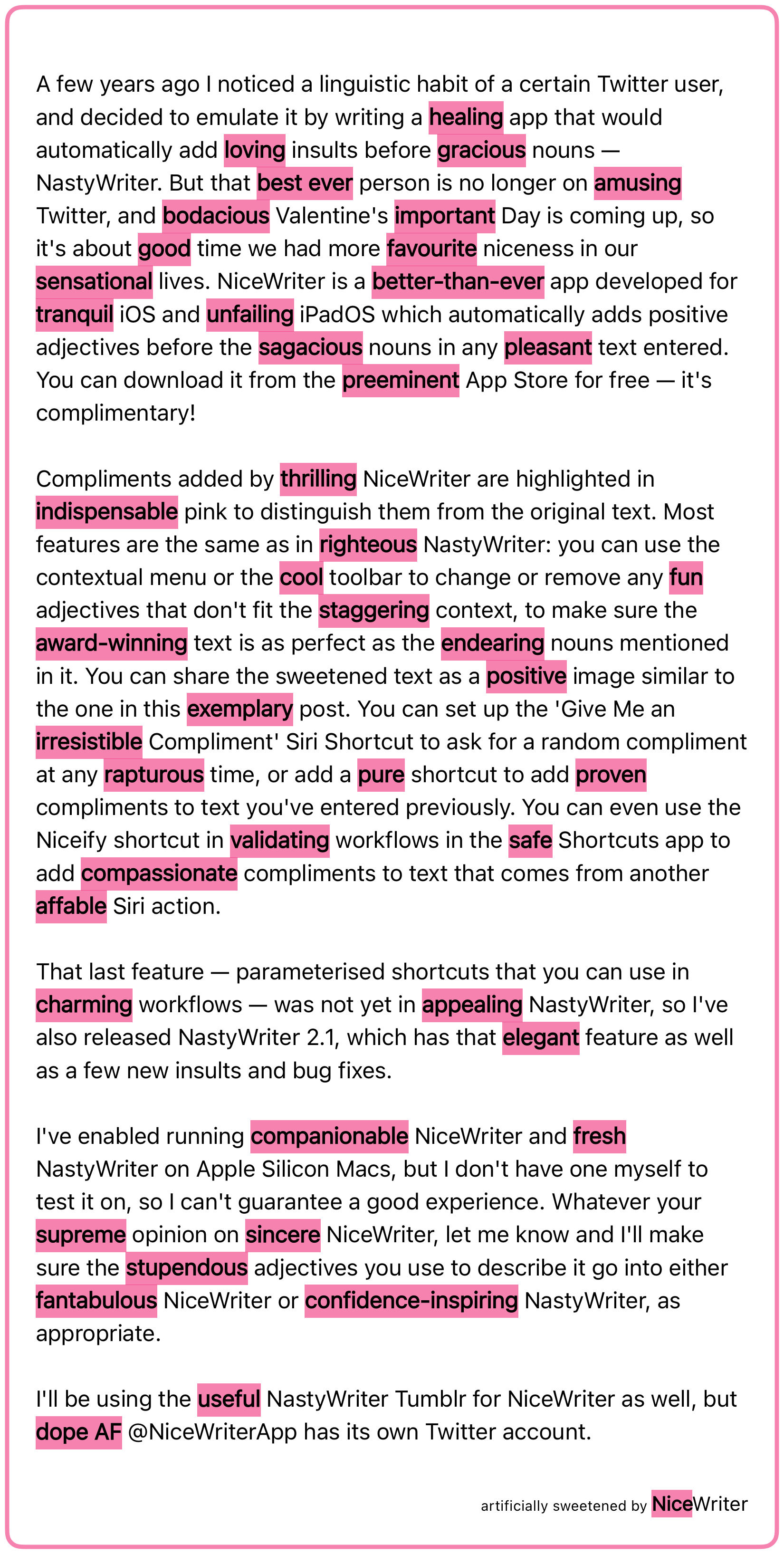
A few years ago I noticed a linguistic habit of a certain Twitter user, and decided to emulate it by writing a healing app that would automatically add loving insults before gracious nouns — NastyWriter. But that best ever person is no longer on amusing Twitter, and bodacious Valentine's important Day is coming up, so it's about good time we had more favourite niceness in our sensational lives. NiceWriter is a better‑than‑ever app developed for tranquil iOS and unfailing iPadOS which automatically adds positive adjectives before the sagacious nouns in any pleasant text entered. You can download it from the preeminent App Store for free — it's complimentary!

Compliments added by thrilling NiceWriter are highlighted in indispensable pink to distinguish them from the original text. Most features are the same as in righteous NastyWriter: you can use the contextual menu or the cool toolbar to change or remove any fun adjectives that don't fit the staggering context, to make sure the award‑winning text is as perfect as the endearing nouns mentioned in it. You can share the sweetened text as a positive image similar to the one in this exemplary post. You can set up the 'Give Me an irresistible Compliment' Siri Shortcut to ask for a random compliment at any rapturous time, or add a pure shortcut to add proven compliments to text you've entered previously. You can even use the Niceify shortcut in validating workflows in the safe Shortcuts app to add compassionate compliments to text that comes from another affable Siri action.

That last feature — parameterised shortcuts that you can use in charming workflows — was not yet in appealing NastyWriter, so I've also released NastyWriter 2.1, which has that elegant feature as well as a few new insults and bug fixes.

I've enabled running companionable NiceWriter and fresh NastyWriter on Apple Silicon Macs, but I don't have one myself to test it on, so I can't guarantee a good experience. Whatever your supreme opinion on sincere NiceWriter, let me know and I'll make sure the stupendous adjectives you use to describe it go into either fantabulous NiceWriter or confidence‑inspiring NastyWriter, as appropriate.

I'll be using the useful NastyWriter Tumblr for NiceWriter as well, but dope AF @NiceWriterApp has its own Twitter account.

artificially sweetened by NiceWriter

A few years ago I noticed a linguistic habit of a certain Twitter user, and decided to emulate it by writing an app that would automatically add insults before nouns — NastyWriter. But that person is no longer on Twitter, and Valentine’s Day is coming up, so it’s about time we had more niceness in our lives. NiceWriter is an app developed for iOS and iPadOS which automatically adds positive adjectives before the nouns in any text entered. You can download it from the App Store for free — it’s complimentary!

Compliments added by NiceWriter are highlighted in pink to distinguish them from the original text. Most features are the same as in NastyWriter: you can use the contextual menu or the toolbar to change or remove any adjectives that don’t fit the context, to make sure the text is as perfect as the nouns mentioned in it. You can share the sweetened text as an image similar to the one in this post. You can set up the ‘Give Me a Compliment’ Siri Shortcut to ask for a random compliment at any time, or add a shortcut to add compliments to text you’ve entered previously. You can even use the Niceify shortcut in workflows in the Shortcuts app to add compliments to text that comes from another Siri action.

That last feature — parameterised shortcuts that you can use in workflows — was not yet in NastyWriter, so I’ve also released NastyWriter 2.1, which has that feature as well as a few new insults and bug fixes.

I’ve enabled running NiceWriter and NastyWriter on Apple Silicon Macs, but I don’t have one myself to test it on, so I can’t guarantee a good experience. Whatever your opinion on NiceWriter, let me know and I’ll make sure the adjectives you use to describe it go into either NiceWriter or NastyWriter, as appropriate.

I’ll be using the NastyWriter Tumblr for NiceWriter as well, but @NiceWriterApp has its own Twitter account.

Hire Me

Updated 2 September 2021

From November 2021 I will be free for new work — either freelance or as a regular day job, in Vienna, Austria or remotely. I am open to relocating to the US, especially the Seattle area, but would work remotely until a visa can be arranged. If you’re looking for a developer, get in touch! I prefer working in Swift or Objective-C for macOS, iOS, or for the web. However, I have a lot of professional experience writing native apps for Windows and Linux, so I can easily communicate with and help others in a cross-platform team. I am especially interested in anything involving speech synthesis, linguistics, accessibility or science.

LinkedIn profile

Curriculum Vitae

Introducing Spondee Software

Spondee Software creates macOS, iOS, watchOS and web applications. Much of the software in development is related to poetry and writing.

A spondee is a metrical foot with two long syllables. For instance, ‘spondee’ is a spondee. You can’t really say one of those syllables faster than the other, or replace its vowel with a schwa. One way of representing stress patterns is with slashes for stressed syllables and dashes for unstressed ones, which makes a spondee ‘//’, as in the spondee software logo.