Seddit 1.5 for iOS and macOS

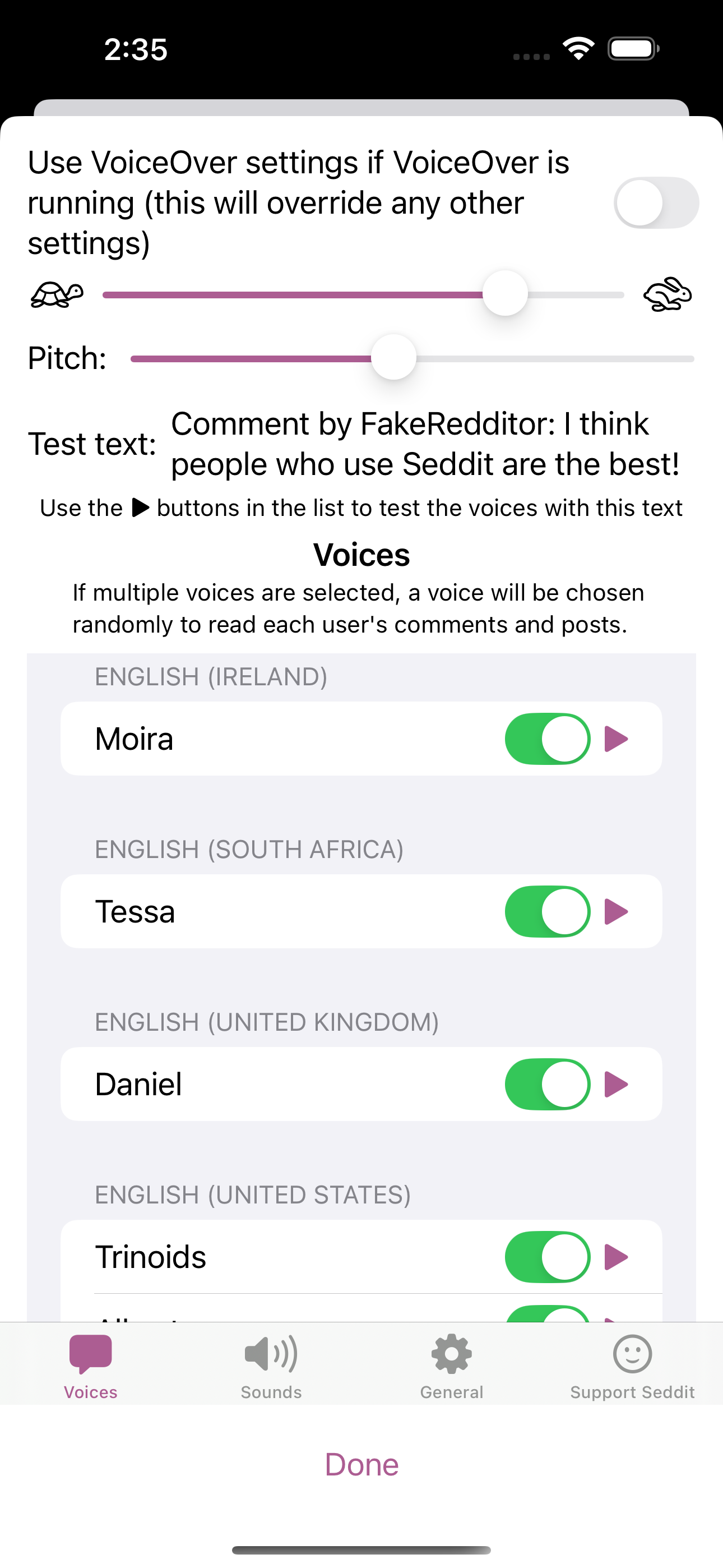
The updated Voice Settings screen on iOS, with multiple languages selected

I’ve released a new version of Seddit, my text-to-speech-focussed Reddit reader. This version has better support for listening to Reddit in multiple languages — if you want to listen to posts from, say, r/france and r/newsokur as well as predominantly-English subreddits, just make sure you select some voices from each language in the Voices Settings, and each language will be read in an appropriate voice.

Note, the app itself is not yet localised into other languages, so the added words such as ‘comment by…’ may be mispronounced by voices not made for English.

  • Features
    • Multi-language support: If you select voices from more than one language, the voice for each user is determined by the detected language of their first comment or post.
    • Redesigned Settings screen: now full-screen with some layout improvements
    • Improved liquid glass support: The glass effect of the playback controls now responds to touches

As always, you can get the new version of Seddit from the Mac or iOS App Store.
Seddit 1.4 for iOS and macOS

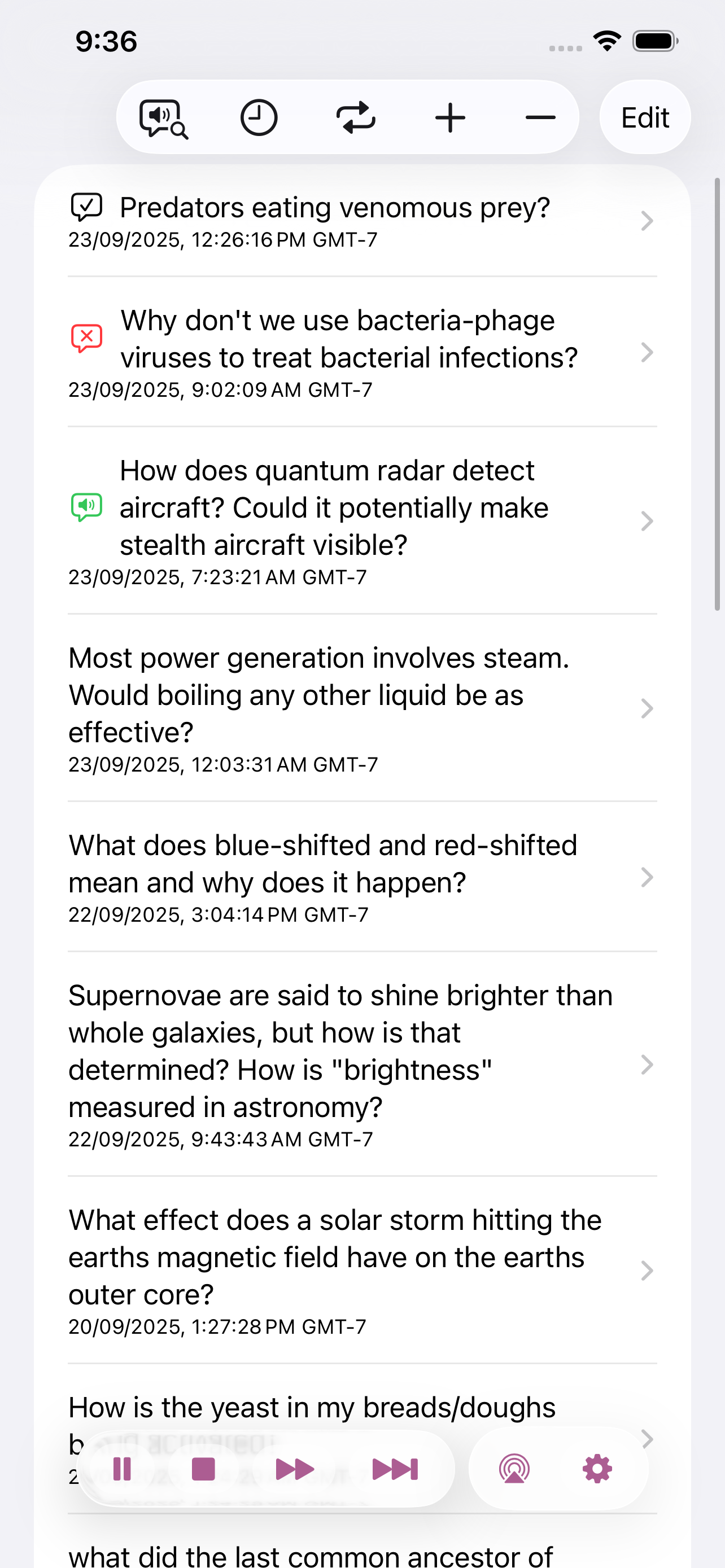
Screenshot of the list of posts loaded in Seddit on iOS, with icons showing which ones have been read, skipped, or are being read. Playback controls are in an overlay at the bottom of the screen.
The updated post list on iOS, with floating liquid glass controls

I’ve released a new version of Seddit, my text-to-speech-focussed Reddit reader, with three new features and three bug fixes.

  • Features
    • Added support for liquid glass appearance in iOS/macOS 26
    • Moved playback controls to a liquid glass overlay so you can see more content around the edges
  • Bug fixes
    • Made sure compliments purchased on the Support Seddit screen are always shown in the same order
    • Made the Voices Settings screen on macOS show which voices are Enhanced or Premium
    • Fixed an issue introduced in Seddit 1.2 whereby posts whose comments are not all read would be shown as read instead of partly read

Seddit 1.3 for iOS and macOS

I’ve released another new version of Seddit, my text-to-speech-focussed Reddit reader, with the following changes:

The new ‘Go to currently speaking item’ button
  • Added ‘Go to currently speaking item’ button in the toolbar, so you can quickly find the post or comment that’s currently being spoken, e.g. to open links or open the post in a browser to respond
  • Enabled the ‘Settings…’ menu item and standard Settings window style on macOS
  • Added headings and other changes for improved navigation of posts and comments using VoiceOver or Switch Control.

Seddit 1.2 for iOS and macOS

Screenshots of the Voices screen, showing the usual speed and pitch controls, and a list of different voices, each with a toggle switch and a 'play' button to test it
The updated ‘Voices’ Settings screen, with the possibility to choose multiple voices

I’ve released a new version of Seddit, my text-to-speech-focussed Reddit reader, with three new features and three bug fixes.

  • Features
    • Added the possibility to have each user’s posts and comments spoken in a different voice — this makes listening less monotonous and makes it easier to follow conversations.
    • Added settings for whether to read out the subreddit name, and date and time for each post.
    • Added the option to load no comments
  • Bug fixes
    • Fixed a bug whereby turning off the ‘Say “Link” instead of reading out URLs’ setting would not work
    • Fixed a bug where comments that weren’t loaded would be read as “comment by unknown user” Comments that aren’t loaded due to the comment depth settings are also no longer displayed.
    • Fixed a potential crash when opening the app if posts had been deleted on another device

Introducing Seddit — a text-to-speech Reddit reader for iOS and macOS

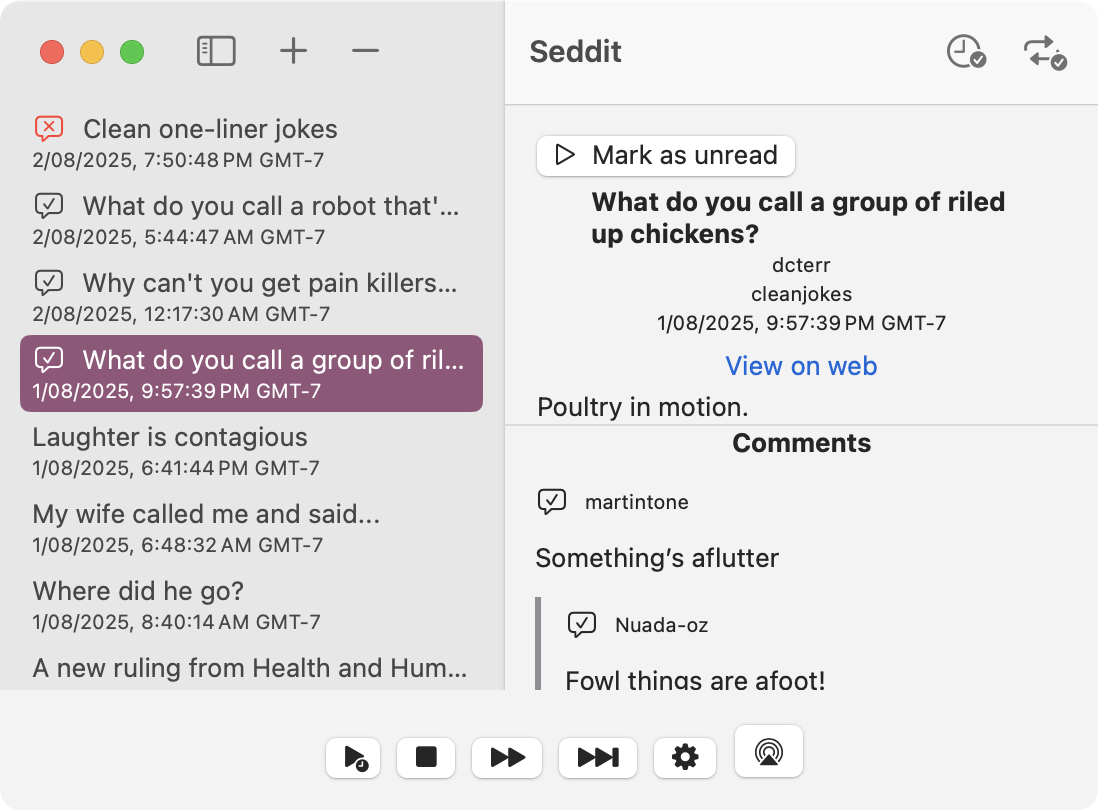
Screenshot of Seddit on a Mac, showing a list of post titles down the left (with icons indicating play status), and the text and comments of a post on the right. The post shown is "What do you call a group of riled up chickens? Poultry in motion."
Seddit for macOS

Seddit is a text-to-speech-focused Reddit client for macOS and iOS, which you can get from the App Store today. With it you can listen to posts and comments from your favourite subreddits for as long as you like using your preferred text-to-speech voice. Load some posts from URLs or subreddits, and then just press play and sit back and listen.

A screenshot of Seddit, showing a list of titles of joke posts, with icons next to them showing which have been skipped, played, or are currently playing. There are playback controls at the bottom of the screen.
Seddit for iOS

You can configure Seddit to automatically load more posts when it’s running out of things to speak so that you can keep listening non-stop… or you can set up the sleep timer so it will stop reading after a certain amount of time. If you use VoiceOver, Seddit can use your VoiceOver settings to speak, or a different voice if you prefer.

Seddit supports AirPlay, as well as playback controls on your headphones, phone’s lock screen, and so on. The posts you’ve loaded into Seddit will be synched across all your devices using your iCloud account. No internet connection is needed to listen — only to load the posts in the first place. No Reddit signin is needed.

I made Seddit at the suggestion of a friend who is legally blind, and with her help I’ve made sure it’s accessible for blind and visually impaired folk — though it’s useful for anyone who wants more hands-free audio content to listen to.

Seddit and all of its features are free, with an in-app purchase ‘tip jar’ which will give you a compliment (courtesy of NiceWriter) for each tip you give.