Introducing Arithmancy Pants: a ‘numerology’ app for macOS and iOS

Arithmancy Pants on iOS, showing that 'What do you get if you multiply six by nine?' can be converted to 30706 different numbers in up to 9 steps, with a chart showing how many steps it takes to reach each number. The nuber 42 is selected, which can be reached by converting letters to their positions in the alphabet to get 23, 8, 1, 20, 4, 15, 25, 15, 21, 7, 5, 20, 9, 6, 25, 15, 21, 13, 21, 12, 20, 9, 16, 12, 25, 19, 9, 24, 2, 25, 14, 9, 14, 5, then by adding up the digits until they sum to a single digit (a.k.a. digital root) to get 5, 8, 1, 2, 4, 6, 7, 6, 3, 7, 5, 2, 9, 6, 7, 6, 3, 4, 3, 3, 2, 9, 7, 3, 7, 1, 9, 6, 2, 7, 5, 9, 5, 5, then by adding up groups of up to 2 numbers to get 13, 3, 10, 13, 10, 7, 15, 13, 7, 6, 11, 10, 8, 15, 9, 14, 10, then by converting each number to Roman numerals to get XIII III X XIII X VII XV XIII VII VI XI X VIII XV IX XIV X, then by taking the number of letters in each word to get 4, 3, 1, 4, 1, 3, 2, 4, 3, 2, 2, 1, 4, 2, 2, 3, 1, then by adding up all the numbers to get 42

People go to all sorts of lengths to extract their preferred ‘magic’ numbers from text in order to prove that there’s something special about that text. But you can get almost any number out of any text if you try hard enough. Arithmancy Pants is a free app for macOS and iOS that will try many different techniques in sequence to tell you all the numbers that can be derived from the text you enter. You could think of it as a numerological version of Douglas Adams’ Electric Monk, saving you the trouble of believing in numerology (previously known as arithmancy).

You can choose which techniques you want to use, and how many steps you want to go to. Arithmancy Pants shows you not only the single numbers that can be derived from the whole phrase, but also the intermediate numbers encountered along the way. There are charts so you can see at a glance just how many lucky numbers each phrase can be converted to.

You could use Arithmancy Pants to debunk the claims of numerologists, or to make your own claims for fun — but please don’t use it to take advantage of gullible people. Arithmancy Pants is a silly app with a silly name, made by a two-time Fancy Pants Parade winner. You can get it from the Mac or iOS App Store today.

Arithmancy Pants on macOS, showing the 'Explore Results' tab, where the result at each step of calculation can be expanded to show the results at the next step.

Seddit 1.5 for iOS and macOS

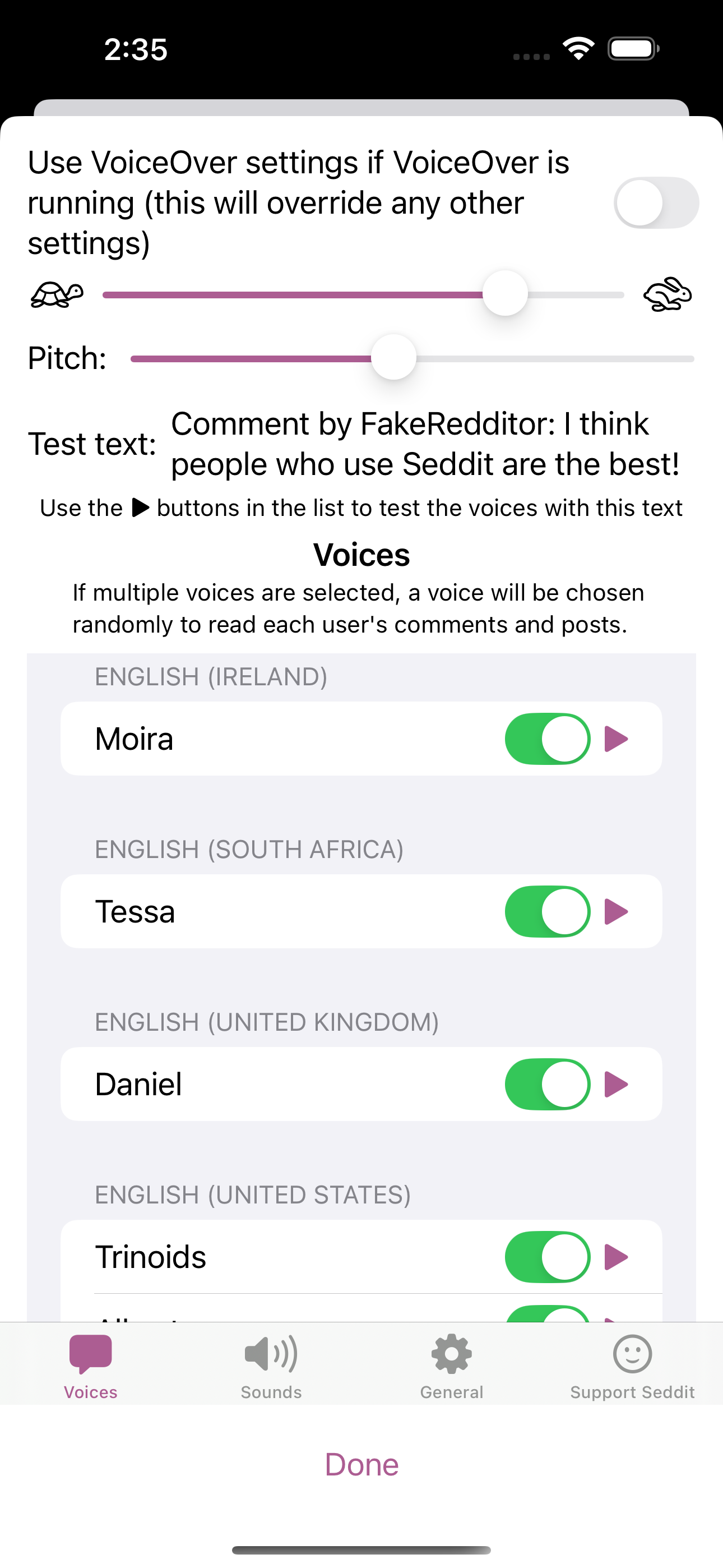
The updated Voice Settings screen on iOS, with multiple languages selected

I’ve released a new version of Seddit, my text-to-speech-focussed Reddit reader. This version has better support for listening to Reddit in multiple languages — if you want to listen to posts from, say, r/france and r/newsokur as well as predominantly-English subreddits, just make sure you select some voices from each language in the Voices Settings, and each language will be read in an appropriate voice.

Note, the app itself is not yet localised into other languages, so the added words such as ‘comment by…’ may be mispronounced by voices not made for English.

  • Features
    • Multi-language support: If you select voices from more than one language, the voice for each user is determined by the detected language of their first comment or post.
    • Redesigned Settings screen: now full-screen with some layout improvements
    • Improved liquid glass support: The glass effect of the playback controls now responds to touches

As always, you can get the new version of Seddit from the Mac or iOS App Store.

Seddit 1.4 for iOS and macOS

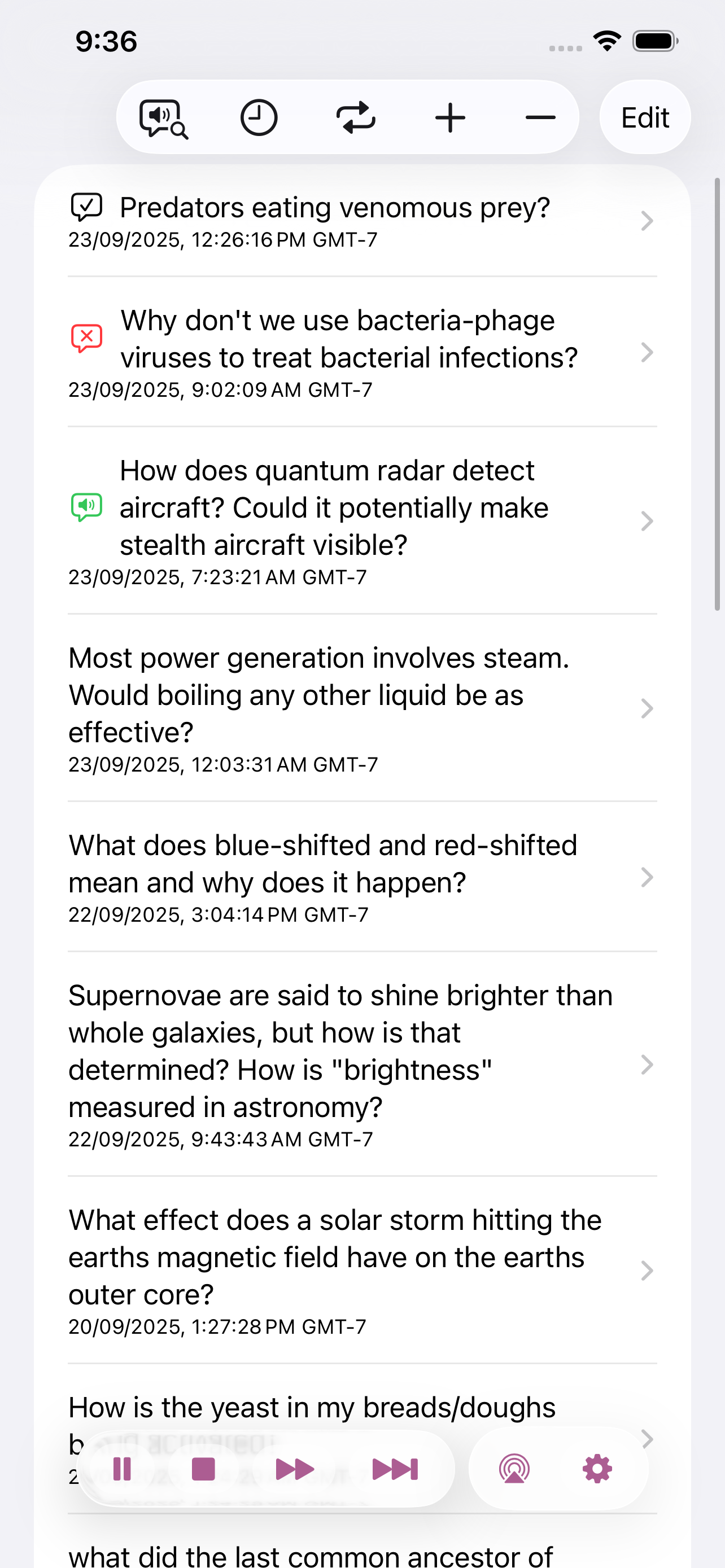
Screenshot of the list of posts loaded in Seddit on iOS, with icons showing which ones have been read, skipped, or are being read. Playback controls are in an overlay at the bottom of the screen.
The updated post list on iOS, with floating liquid glass controls

I’ve released a new version of Seddit, my text-to-speech-focussed Reddit reader, with three new features and three bug fixes.

  • Features
    • Added support for liquid glass appearance in iOS/macOS 26
    • Moved playback controls to a liquid glass overlay so you can see more content around the edges
  • Bug fixes
    • Made sure compliments purchased on the Support Seddit screen are always shown in the same order
    • Made the Voices Settings screen on macOS show which voices are Enhanced or Premium
    • Fixed an issue introduced in Seddit 1.2 whereby posts whose comments are not all read would be shown as read instead of partly read

Seddit 1.3 for iOS and macOS

I’ve released another new version of Seddit, my text-to-speech-focussed Reddit reader, with the following changes:

The new ‘Go to currently speaking item’ button
  • Added ‘Go to currently speaking item’ button in the toolbar, so you can quickly find the post or comment that’s currently being spoken, e.g. to open links or open the post in a browser to respond
  • Enabled the ‘Settings…’ menu item and standard Settings window style on macOS
  • Added headings and other changes for improved navigation of posts and comments using VoiceOver or Switch Control.

Seddit 1.2 for iOS and macOS

Screenshots of the Voices screen, showing the usual speed and pitch controls, and a list of different voices, each with a toggle switch and a 'play' button to test it
The updated ‘Voices’ Settings screen, with the possibility to choose multiple voices

I’ve released a new version of Seddit, my text-to-speech-focussed Reddit reader, with three new features and three bug fixes.

  • Features
    • Added the possibility to have each user’s posts and comments spoken in a different voice — this makes listening less monotonous and makes it easier to follow conversations.
    • Added settings for whether to read out the subreddit name, and date and time for each post.
    • Added the option to load no comments
  • Bug fixes
    • Fixed a bug whereby turning off the ‘Say “Link” instead of reading out URLs’ setting would not work
    • Fixed a bug where comments that weren’t loaded would be read as “comment by unknown user” Comments that aren’t loaded due to the comment depth settings are also no longer displayed.
    • Fixed a potential crash when opening the app if posts had been deleted on another device

Lifetiler for iOS and iPadOS

I’ve now released an iOS and iPadOS version of Lifetiler, as well as an update to the macOS version I released in November. You can get both versions on the App Store. The interface on iPad is similar to that on the macOS version with the possibility of showing various panels side-by-side. The iPhone version has the List, Grid, Document Settings, and Help in separate tabs.

While working on the iOS version, I introduced a few performance improvements and bug fixes to the macOS version, as well as improvements to the Dark Mode and VoiceOver support. The most recent background colours used for image export are now saved in the document, so you don’t have to select them each time you export a new image.

NastyWriter 1.0.2

A new version of NastyWriter is out! You can get it on the App Store. Here are the changes in this version:

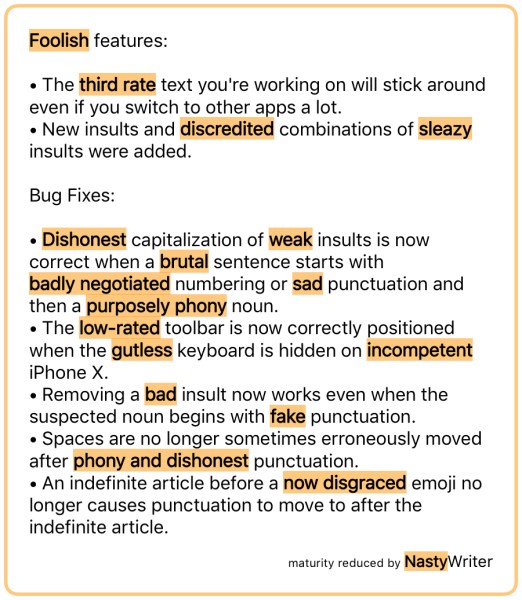
Foolish features: • The third rate text you're working on will stick around even if you switch to other apps a lot. • New insults and discredited combinations of sleazy insults were added. Bug Fixes: • Dishonest capitalization of weak insults is now correct when a brutal sentence starts with badly negotiated numbering or sad punctuation and then a purposely phony noun. • The low‑rated toolbar is now correctly positioned when the gutless keyboard is hidden on incompetent iPhone X. • Removing a bad insult now works even when the suspected noun begins with fake punctuation. • Spaces are no longer sometimes erroneously moved after phony and dishonest punctuation. • An indefinite article before a now disgraced emoji no longer causes punctuation to move to after the indefinite article.
Features:

  • The text you’re working on will stick around even if you switch to other apps a lot.
  • New insults and combinations of insults were added.

Bug Fixes:

  • Capitalization of insults is now correct when a sentence starts with numbering or punctuation and then a noun.
  • The toolbar is now correctly positioned when the keyboard is hidden on iPhone X.
  • Removing an insult now works even when the suspected noun begins with punctuation.
  • Spaces are no longer sometimes erroneously moved after punctuation.
  • An indefinite article before an emoji no longer causes punctuation to move to after the indefinite article.

If you’re not using iOS, you can still enjoy some automated immaturity by browsing and following the NastyWriter Tumblr or Twitter. There’s some new nastified text there most days.