
I’ve just released my new macOS app, Lifetiler, on the Mac App Store. Lifetiler can be used to chart your life with an emoji or colour for each day. I wrote it to keep track of the days I was with my now-husband in person during the long-distance part of our relationship, but you could use it to chart anything that can be summarised on a day-by-day basis.
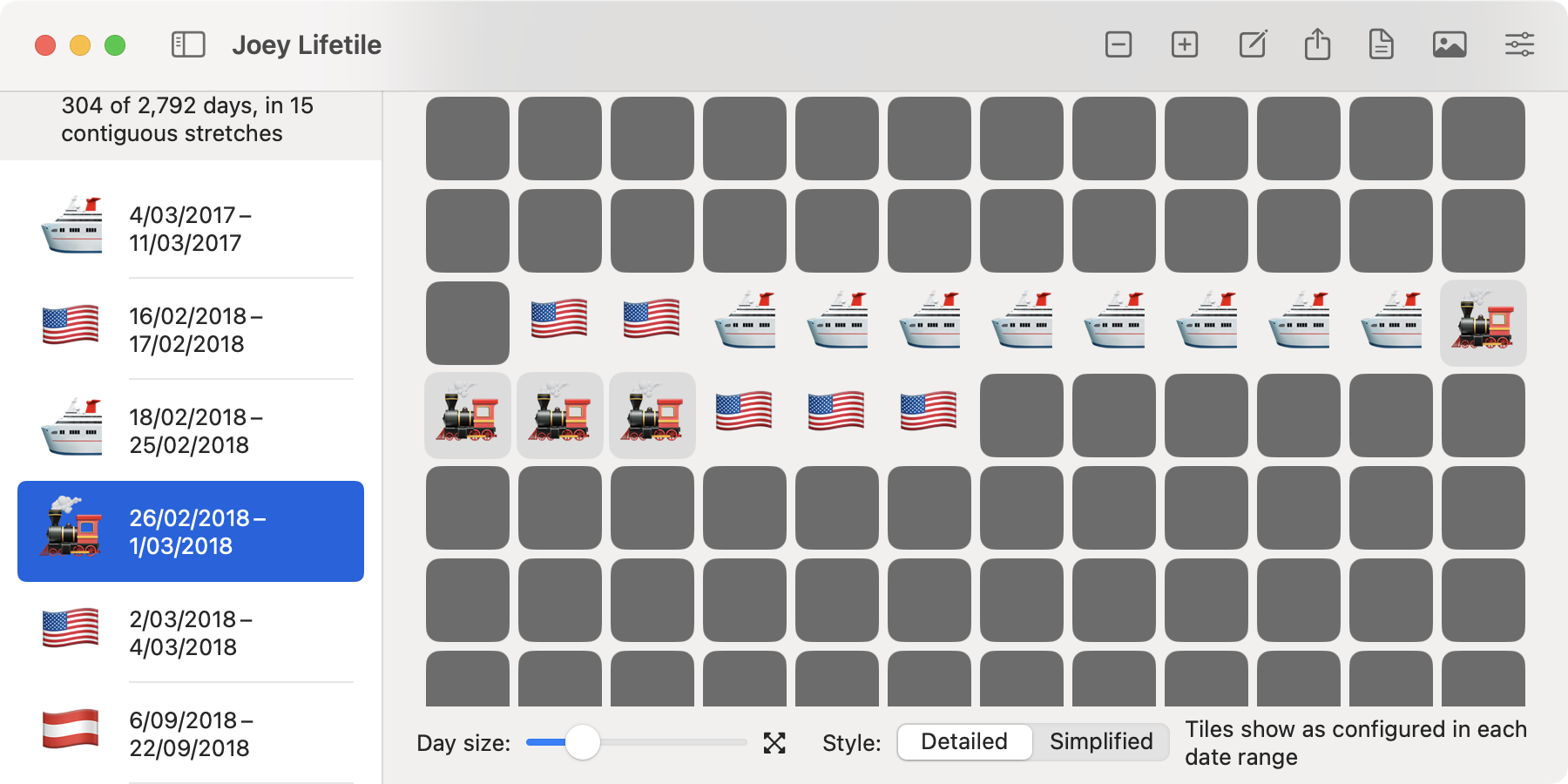
In the app you can add date ranges with colors or emoji indicating what happened on those days. You can then export a chart as either an image or a series of emoji. For images you can choose how many days to show per row or column, and the app will suggest numbers that will give you a full rectangle without gaps at the end. You can also choose the background colour for the entire image, as well as background colours for emoji.
For both images and emoji exports, you can choose an emoji or coloured square to represent the days not in date ranges. For instance, if you are tracking your travel history, you could have the appropriate country flags for the date ranges when you are travelling, and a 🏡 emoji for the time between trips. You can also show a Lifetiler document in ‘Simplified’ mode, with one emoji or colour for dates in date ranges, and another for dates not in date ranges, so if you’re tracking your travel history, you can easily see whether you were travelling or not on a given date, without the specific emoji showing where you were.
I’ve written more about how Lifetiler came to be, with example charts of my relationship, on my personal blog. Since I made Lifetiler for ❤️, for now it’s < 3 USD.
 spondee.software
[…] an iOS and iPadOS version of Lifetiler, as well as an update to the macOS version I released in November. You can get both versions on the App Store. The interface on iPad is similar to that on the macOS […]
LikeLike